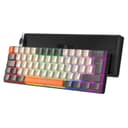
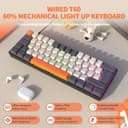
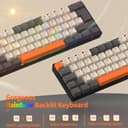
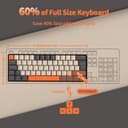
【Compact 61 Layout】This MK21 gaming keyboard is a small size keyboard, use 60% layout, can make you have a neat desktop with organized gears on, save space TKL design, keep all the necessary keys, long type-c USB cable(about 1.6m/62.9in), offering more space for mouse movement , maximum to utilize your extra desk space, easy to carry or use whenever or wherever you are, perfect for TPS/FPS gamer or daily using in home, work or on the go.
【Multiple RGB Backlit Color and Mode】This portable mechanical gaming keyboard can offer 14 different kinds of chroma RGB backlit effect, 8 kinds of light color, you can adjust the brightness, changing speed, or turn off the backlight if you need, and also customize your own backlit according to your preference, optimize the visual experience, more cool and interesting, can enhance the competitive atmosphere when gaming.
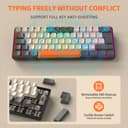
【Mechanical Switch】This RGB gaming keyboard wired is made of mechanical clicky blue switch with audible click sound and tactile feedback, can click up to 50 million times, designed for longetivity, responsiveness and durability, can meet you needs of clear sound and click in your daily using and gaming, Support full key anti-ghosting function, allow non-conflict keystroke working when typing with high speed, more accurate.
【Compact and Practical】This mini 61 key gaming keyboard can realize multiple function like quick access to Home Page, Music, Email Box, etc. by pressing FN+related key , the side engraved visual symbol of the keys can help you understand the FN key combination function, floating high-low ergonomic key design allow using for a long time without fatigue, adjustable foot support can offer a alternative using angle if needed.
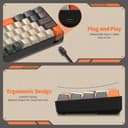
【Wide Compatibility】This mechanical keyboard featured with waterproof, dust-proof, conflict-free, FN short key function, rainbow RGB backlit, non-slip mat, type-c interface, plug and play, 61key design, removable keycap, easy to clean, compatible with devices like pc, mac, laptop, computer which support windows series system or Android, Linux, IOS, etc, system,