Shop with confidence
 From USA
Products from the USA may come with an input voltage of 110V–120V, requiring a step-down transformer. Check the device wattage to select the correct power converter.
-Features:
1. DualShock 4 support vibration / 6-axis motion on Switch.
2. X-input, D-input, Mac mode, Nintendo Switch mode.
3. X-input mode support vibration.
4. Lag – free.
-System Compatibility:
1. Nintendo Switch, Windows, macOS.
2. Android TV box, Raspberry Pi, Retrofreak.
-Controller Compatibility:
1. controllers and arcade sticks (Note: Excluding 2.4G controllers)
2. DualShock 3, DualShock 4, DualShock 4 Pro.
3. Wiimote, Wii U Pro, Nintendo Switch Joy-Cons, Nintendo Switch Pro
4.Xbox One S / X Bluetooth Controller. But you need to update its latest firmware.
-Dimensions and Weight:
1. 130mm x 160mm x 250mm
2. 50g
-Steps for usage:
You need to open the setup menu of the Switch and find out "Change Grip/Order" and set it to "on".
1. Plug the converter into your console.
2. Turn on your controller.
3. Press both PAIR buttons on the converter and controller to sync them.
4. Both LEDs on converter and controller will become solid when they are successfully paired.
5. Hold Left on DPAD and Select for 3 seconds, the converter blinks and then becomes solid.Success!
-Please Note:
1.One controller for one USB adapter.
2.The adapter only supports one joy-con at a time, in the sideways mode.
3.For Switch: Make sure "Pro Controller Wired Communication" is On.
Package Include:
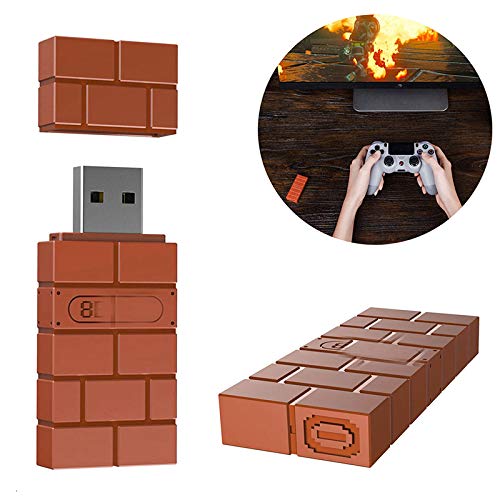
1 X USB Wireless Adapter
1 X OTG Cable
Safe and trusted checkout with major payment methods









![VERENIX [2PCS] Hall Effect Joystick Replacement for PS4 Controller 3D Analog Hall Stick Joystick Repair-4.0 SE](https://m.media-amazon.com/images/I/51C+qCzGnHL.jpg)