product-image
product-image
product-image
product-image
product-image
Product Image
    1
    2
    3
    4
    5
    6
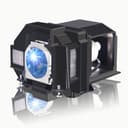
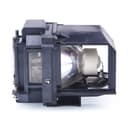
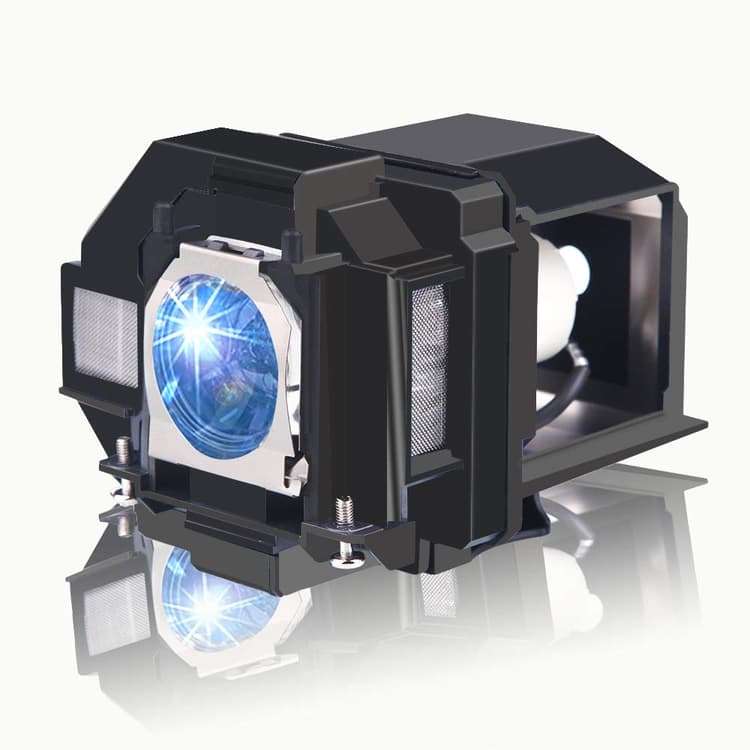
new | SunnyPro ELPLP96/V13H010L96 Replacement Projector Lamp Bulb for Epson Home Cinema 1080 Home Cinema 2150 Home Cinema 880 Home Cinema 1060 2100 2200 Pro EX9220 PowerLite X39 VS250 PowerLite 107 2247U
Brand : SunnyPro
new | SunnyPro ELPLP96/V13H010L96 Replacement Projector Lamp Bulb for Epson Home Cinema 1080 Home Cinema 2150 Home Cinema 880 Home Cinema 1060 2100 2200 Pro EX9220 PowerLite X39 VS250 PowerLite 107 2247U
Brand : SunnyPro

 8,608.00
M.R.P : 14,346.00

40% OFF

Availability : 
In Stock

*Prices subject to change due to market. The price shown in the checkout is the guaranteed price.
8,608.00
M.R.P : 14,346.00

40% OFF

Availability : 
In Stock
Delivery :
Available This pincode is not serviceable! Please try with a different pincode Checking...
Quantity
7 days   Replacement
7 days Replacement
Manufacturers Warranty
Top Brand
Top Brand
Free delivery
Free delivery
Secure Transaction
Secure Transaction
Blue Dart Delivered
Blue Dart Delivered
100% Guarantee Safe Checkout
  • visa
  • mastercard
  • discover
  • Maestrocard
  • paypal
  • americanexpress
  • paytm
  • upi
Note: Please be aware that products from the USA may come with an input voltage of 110V - 120V, requiring the use of an appropriate step-down transformer for compatibility. Understanding the device's wattage is essential for selecting the correct power converter.
Product Specifications
Conditionnew
AsinB07Q44RLJF
CategoryOffice Products
SubcategoryLamps
LeafcategoryHome
MPNELP-96
ColorElp9
OriginUSA
BrandnameSunnyPro
Height4.33
Length4.72
Width5.51
Weight1
Product Details
Compatible Models : Replacement bulb for Epson EB-2042 EB-2142W EB-2247U EB-970 EB-980W EB-990U EB-S05 EB-S39 EB-S41 EB-U05 EB-U42 EB-W05 EB-W39 EB-W41 EB-W42 EB-X05 EB-X39 EB-X41 EH-TW5400 EH-TW5600 EH-TW5650 EH-TW610 EH-TW650 EX3260 EX5260 EX9210 H838A H846A H856A Home Cinema 1060 Home Cinema 1080 HOME CINEMA 1080UB Home Cinema 2100 Home Cinema 2150 Home Cinema 2200 Home Cinema 660 Home Cinema 760 Home Cinema 760HD Home Cinema 880 Powerlite 107 Powerlite 108 Powerlite 109W Powerlite 1266W Powerlite 1286W Powerlite 2247U Powerlite 2412W Powerlite 970 Powerlite 980w Powerlite 990u Powerlite S39 Powerlite W39 PowerLite X39 Pro EX7260 Pro EX9210 Pro EX9220 VS250 VS350 VS355
Replacing a new projector bulb is cheaper than upgrading the projector.Also, used as a spare lamp to replace a burned out projector bulb.

All projector lamps produced by our factory have been strictly tested.It is durable and will not explode under normal use conditions.
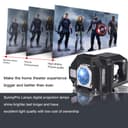
Using a new manufacturing process, the life of the bulb is increased by 20% in ECO mode.
You can return or exchange new products without any questions within 200 days.
Product Ranking
#2058 in Projector Bulbs
Product Description
9 steps to replace the projector lamp
1.Gather the necessary tools, screwdriver.
2.Turn off TV or Projector.
3.Remove Lamp Compartment Door.
4.Remove Lamp Assembly. Carefully pull out the lamp assembly and disconnect any power cords that may still be connected to the lamp assembly. Put it aside and don't get it confused with your new lamp!
5.Clean Lamp Compartment. Dust gets everywhere and while you have the projector open, use a soft cloth or micro-fiber cleaning cloth to remove any loose dust from the lamp compartment.
6.Insert New Lamp Assembly. Carefully reconnect any power cables to the new lamp if present and slide the new lamp into the compartment in the same orientation that the original lamp came out.
7.Replace Lamp Compartment Door. Set the lamp compartment door back into place and securely screw in the door without screwing it in too tightly.
8.Reset the lamp timer. Instructions on how to do this should be covered by the instruction manual.
9.You're Done! Enjoy your projector or TV again and make sure you have a backup lamp handy in case the lights go out unexpectedly.
Product Description
9 steps to replace the projector lamp
1.Gather the necessary tools, screwdriver.
2.Turn off TV or Projector.
3.Remove Lamp Compartment Door.
4.Remove Lamp Assembly. Carefully pull out the lamp assembly and disconnect any power cords that may still be connected to the lamp assembly. Put it aside and don't get it confused with your new lamp!
5.Clean Lamp Compartment. Dust gets everywhere and while you have the projector open, use a soft cloth or micro-fiber cleaning cloth to remove any loose dust from the lamp compartment.
6.Insert New Lamp Assembly. Carefully reconnect any power cables to the new lamp if present and slide the new lamp into the compartment in the same orientation that the original lamp came out.
7.Replace Lamp Compartment Door. Set the lamp compartment door back into place and securely screw in the door without screwing it in too tightly.
8.Reset the lamp timer. Instructions on how to do this should be covered by the instruction manual.
9.You're Done! Enjoy your projector or TV again and make sure you have a backup lamp handy in case the lights go out unexpectedly.
sunnypro elplp96/v13h010l96 replacement projector lamp bulb ep...