product-image
product-image
product-image
product-image
product-image
Product Image
    1
    2
    3
    4
    5
    6
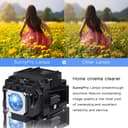
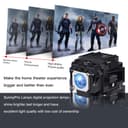
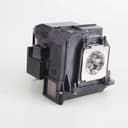
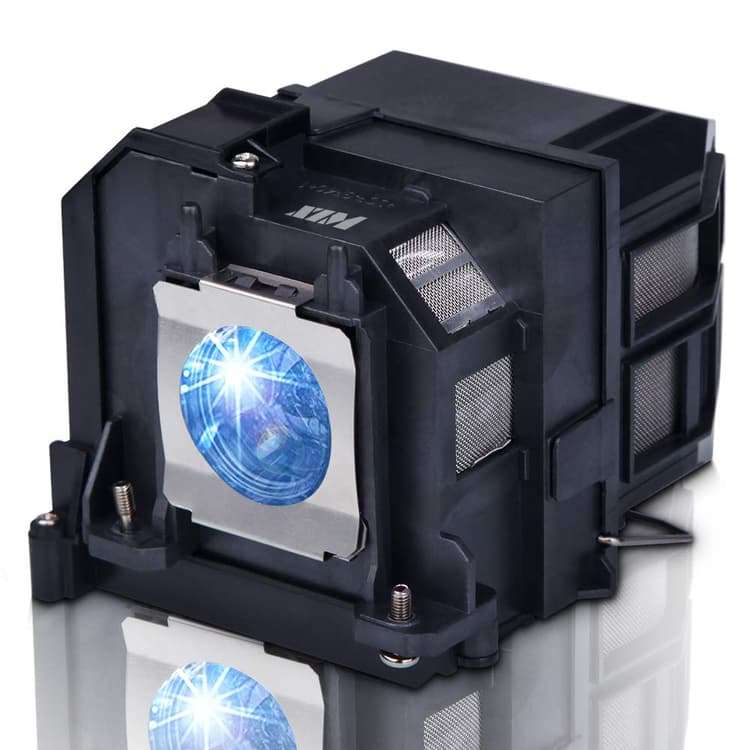
new | SunnyPro ELPLP91 V13H010L91 Replacement Projector lamp Compatible with Epson BrightLink 685Wi BrightLink 695Wi EB-680 EB-680S EB-685W EB-685Wi EB-685WS EB-695Wi PowerLite 680 PowerLite 685W 685W
Brand : SunnyPro
new | SunnyPro ELPLP91 V13H010L91 Replacement Projector lamp Compatible with Epson BrightLink 685Wi BrightLink 695Wi EB-680 EB-680S EB-685W EB-685Wi EB-685WS EB-695Wi PowerLite 680 PowerLite 685W 685W
Brand : SunnyPro

 12,161.00
M.R.P : 20,268.00

40% OFF

Availability : 
In Stock

*Prices subject to change due to market. The price shown in the checkout is the guaranteed price.
12,161.00
M.R.P : 20,268.00

40% OFF

Availability : 
In Stock
Delivery :
Available This pincode is not serviceable! Please try with a different pincode Checking...
Quantity
7 days   Replacement
7 days Replacement
Manufacturers Warranty
Top Brand
Top Brand
Free delivery
Free delivery
Secure Transaction
Secure Transaction
Blue Dart Delivered
Blue Dart Delivered
100% Guarantee Safe Checkout
  • visa
  • mastercard
  • discover
  • Maestrocard
  • paypal
  • americanexpress
  • paytm
  • upi
Note: Please be aware that products from the USA may come with an input voltage of 110V - 120V, requiring the use of an appropriate step-down transformer for compatibility. Understanding the device's wattage is essential for selecting the correct power converter.
Product Specifications
Conditionnew
AsinB07MZPVDF7
CategoryOffice Products
SubcategoryLamps
LeafcategoryHome
MPNSun-Epson-9
ColorElp9
OriginUSA
BrandnameSunnyPro
Height4.33
Length4.72
Width5.51
Weight1
Product Details
Compatible with Epson Powerlite S27 EB-S04 EB-945H EB-955WH EB-965H EB-98H EB-S31
Projector Lamp with Housng
All lamps are produced by our own factory
All lamps are tested at our factory before leaving the facility
Cheaper Bare Lamp without Housing Also Available for Sale
Product Ranking
#2887 in Projector Bulbs
Product Description
9 steps to replace the projector lamp
1.Gather the necessary tools, screwdriver.
2.Turn off TV or Projector.
3.Remove Lamp Compartment Door.
4.Remove Lamp Assembly. Carefully pull out the lamp assembly and disconnect any power cords that may still be connected to the lamp assembly. Put it aside and don't get it confused with your new lamp!
5.Clean Lamp Compartment. Dust gets everywhere and while you have the projector open, use a soft cloth or micro-fiber cleaning cloth to remove any loose dust from the lamp compartment.
6.Insert New Lamp Assembly. Carefully reconnect any power cables to the new lamp if present and slide the new lamp into the compartment in the same orientation that the original lamp came out.
7.Replace Lamp Compartment Door. Set the lamp compartment door back into place and securely screw in the door without screwing it in too tightly.
8.Reset the lamp timer. Instructions on how to do this should be covered by the instruction manual.
9.You're Done! Enjoy your projector or TV again and make sure you have a backup lamp handy in case the lights go out unexpectedly.
Product Description
9 steps to replace the projector lamp
1.Gather the necessary tools, screwdriver.
2.Turn off TV or Projector.
3.Remove Lamp Compartment Door.
4.Remove Lamp Assembly. Carefully pull out the lamp assembly and disconnect any power cords that may still be connected to the lamp assembly. Put it aside and don't get it confused with your new lamp!
5.Clean Lamp Compartment. Dust gets everywhere and while you have the projector open, use a soft cloth or micro-fiber cleaning cloth to remove any loose dust from the lamp compartment.
6.Insert New Lamp Assembly. Carefully reconnect any power cables to the new lamp if present and slide the new lamp into the compartment in the same orientation that the original lamp came out.
7.Replace Lamp Compartment Door. Set the lamp compartment door back into place and securely screw in the door without screwing it in too tightly.
8.Reset the lamp timer. Instructions on how to do this should be covered by the instruction manual.
9.You're Done! Enjoy your projector or TV again and make sure you have a backup lamp handy in case the lights go out unexpectedly.