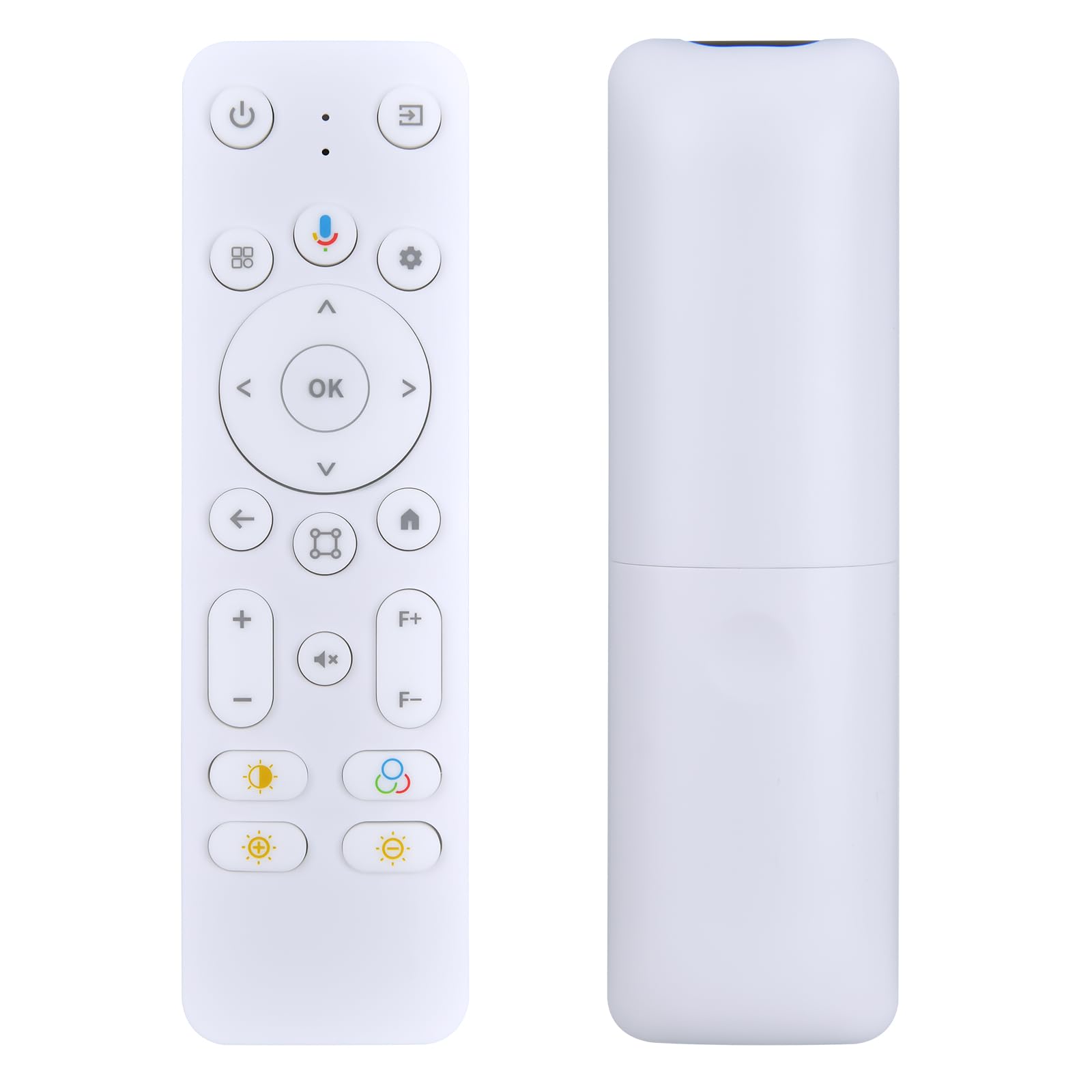
snrigw replacement remote etoe starfish plus android tv projec | Shop The World
From USA
NewSnrigw
Snrigw Replacement Remote for ETOE Starfish Plus Android TV Projector
ℹ
Products from the USA may come with an input voltage of 110V–120V, requiring a step-down transformer. Check the device wattage to select the correct power converter.
•Guaranteed Perfect Fit for Your Starfish Plus Projector:This is the exact, dedicated replacement remote designed specifically for your Starfish Plus projector. Engineered for perfect compatibility, it seamlessly restores full wireless command over your device's power, smart menu navigation on Android TV 11.0, and all essential multimedia functions, just like your original accessory.
•How to pairing: Bluetooth Name: RemoteG10.Pairing Combination Keys: Enter pairing mode using either "Back" + "Project" or"Back" + "Home". The indicator light flashes slowly. After successful pairing, thelight flashes rapidly 5 times and then stops flashing. 1.Cancel Pairing Combination Keys:"OK"+"Mute". After unpairing,the light flashes rapidly 5 times and then stops flashing.
•How to pairing: 2.Voice Platform: Google Assistant. When pressing the voice button to start recording,the indicator light stays on;when releasing the voice button and stopping recording,the indicator light turns off. 3.How to Switch Between Standard and Enhanced Modes: Press and hold "Volume Down" + "Mute" for 5 seconds. After switching,the light flashes rapidly 5 timesand then stops flashing.
•Light flashing requirmentsI:1.Press the button; the light turns on. Release; the light turns off.2.Enter pairing mode;the light flashes slowly.After successful pairing,the lightflashes rapidly 5 times and then stops flashing.3.Switch between Standard/Enhanced Mode;the light flashes rapidly 5 times and then stops flashing.4.After unpairing, the light flashes rapidly 5 times and then stops flashing.5.When you press the voice button to start recording, the indicator light will stayon
•Backed by Reliable After-Sales Service:Please feel free to contact us if you have any query, thanks!