snrigw replacement remote control motorized ac114 06b 6 channe | Shop The World
From USA
NewSnrigw
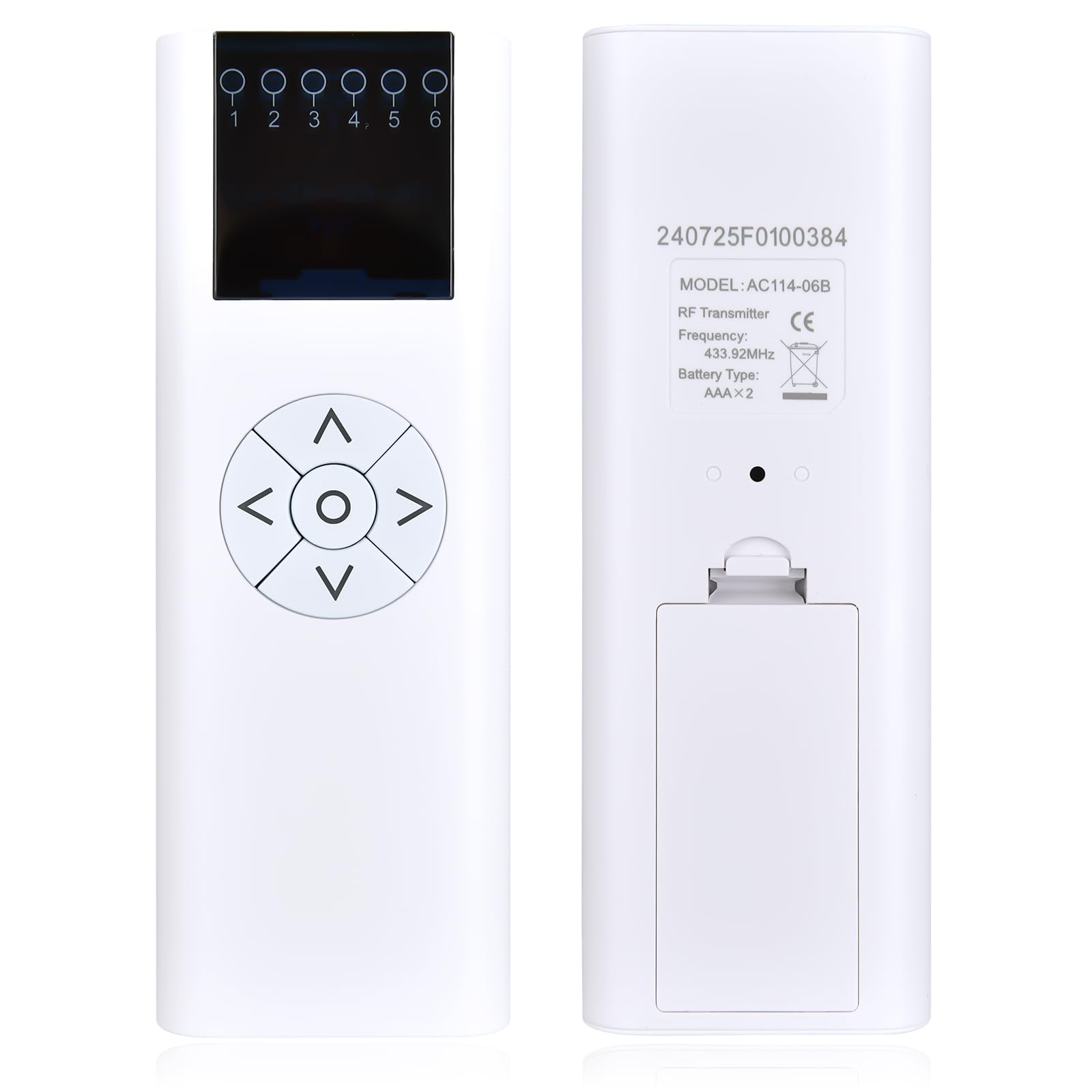
Snrigw Replacement Remote Control for Motorized AC114-06B 6 Channel Wireless RF 433.92MHz Controller Horizontal Blinds
ℹ
Products from the USA may come with an input voltage of 110V–120V, requiring a step-down transformer. Check the device wattage to select the correct power converter.
•【Compatible Models】This Remote Control for AC114-06B 06 Remote Control (RF 433.92MHz) 6 Channel Wireless Blinds Controller is specifically engineered as a direct replacement for the AC114-06B model. It ensures seamless compatibility and restores full command over your motorized window treatments, providing a reliable solution to manage your smart home ambiance.
•1) Select the Channel for Programming (for Multi-Shade remotes) 1.Press "CHANNEL +" or "CHANNEL- " to select desired channel, it's a single channel, not ALL(ALL=all lights on).2.With a paper clip or small screwdriver. Press and Hold Seting Button. Shade motor rotates briefly up and down(jogs). 3.Press the UP button on the Remote once. The shade rotates briefly up and Down(jogs) the pairing is finished.
•2) Set Upper/Lower position for the shade 1.PRESS/HOLD the inset button on the BACK of the control. The shade rotates briefly up and down(jogs)to enter limit setting. 2.Press the UP or DOWN Buttons to adjust your desired up or down position.3.Press Setting button to save the limit button. The shade rotates briefly up and down(jogs)the limit position is done
•3) Delete ALL memory (including the remote and imits - resets the motor to factory settings) 1.PRESS the PROG BUTTON on the motor for 7s. Motor jogs once in 1s, motor jogs twice later, now all the limits have been delete. 2.Change the Direction Press STOP of the programmed transmitter for 5s→Motor jog once→Press"Down"→Motor jog once and the direction changed
•【Backed by Reliable After-Sales Service 】Please feel free to contact us if you have any query, thanks!
 From USA






