retrosun replacement voice remote control compatible dsh netwo | Shop The World
From USA
NewRETROSUN
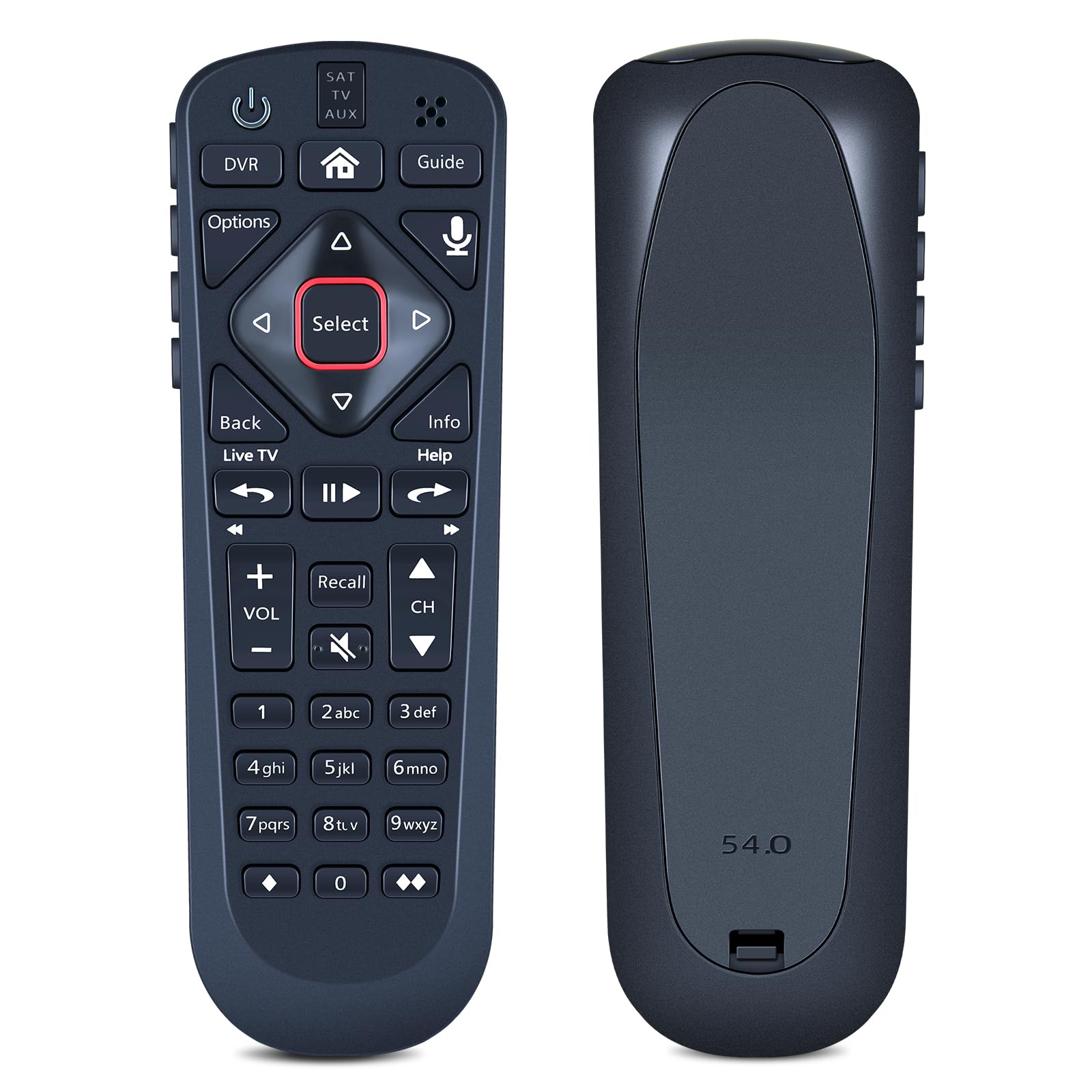
RETROSUN Replacement Voice Remote Control Compatible with Dsh Network 54.0 for The Hopper
ℹ
Products from the USA may come with an input voltage of 110V–120V, requiring a step-down transformer. Check the device wattage to select the correct power converter.
•RETROSUN Replacement Remote Control works for Dsh Network 54.0; for DSH 54 series: 54.1 54.2 54.3.
•Once the pairing is complete, you can use the one-touch voice function to enjoy the convenience it brings. Note: Your receiver must be connected to the Internet to enjoy voice control. To make a wireless connection: Home button twice > Settings > Internet.
•Pair Your Remote: ① Press the HOME button twice. ② Select Settings, then Remote Control. ③ Select TV, and then TV Pairing Wizard. Follow the prompts.(Tips: You can also pair your remote with an Auxiliary Device, such as a Blu-ray player or stereo.)
•Personalize Your Remote: Press and hold the [diamond] or [double-diamond] button. Select from the menu what you want the button to do. You can turn closed captioning on and off, launch Netflix, turn on picture in picture (PiP), record a program with one click, and more.
•Unpairing method: ① Press and hold the SAT button on the side of the remote control. After 3 seconds, the indicator light flashes. Release the keys. ② Press and hold the "Home" button and "Guide" at the same time, after 3 seconds, the buzzer will beep three times. Release the keys.
•Package Included: 1 * Remote Control & 1 * Use Manual (2pcs AA batteries are not included)