replacement voice remote vseebox v3 prov3 plus v5 pro rankle P | Shop The World
From USA
NewRankle Memory
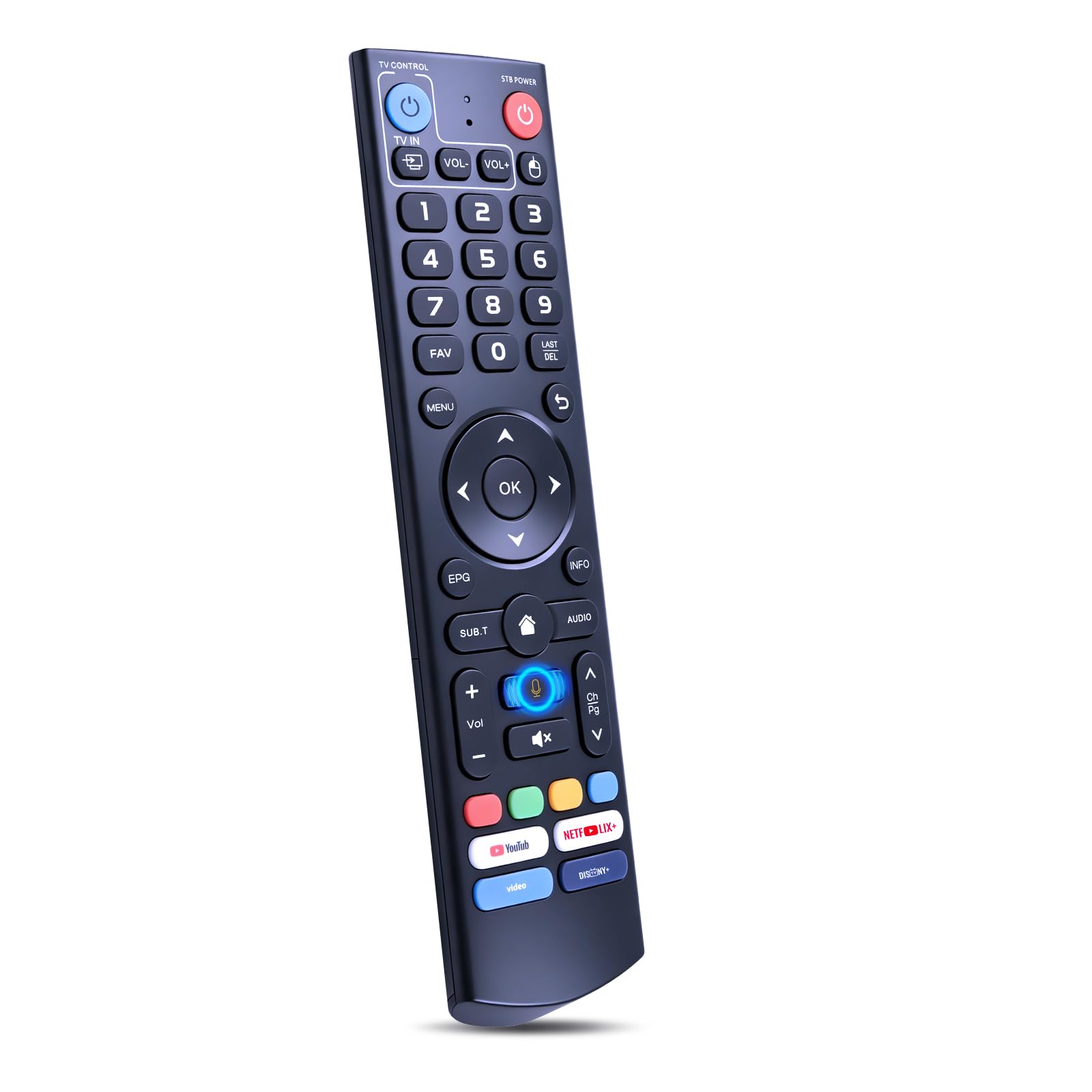
Replacement Voice Remote for vSeeBox V3 Pro/V3 Plus, V5 Pro
ℹ
Products from the USA may come with an input voltage of 110V–120V, requiring a step-down transformer. Check the device wattage to select the correct power converter.
•Compatibility: Replacement voice remote compatible with vSeeBox V3 Pro, V3 Plus, V5 Pro, V6, V2, V1, V1 Pro, V1 Max, Elite and Max (Note: Except the V3 Pro, V3 Plus and V5 Pro, other models do not support voice commands. Confirm your box model before ordering)
•Voice Search: Pairing is required before use. Once the remote control is paired, you can use its built-in voice control feature to conveniently search for movies or launch apps using voice commands, enjoying the ease of voice operation to meet your daily viewing needs
•Easy Pairing: Press and hold the [OK] and [Vol-] buttons on the V3 Pro Voice Remote simultaneously for at least 5 seconds. The LED indicator will flash rapidly. Release the buttons to enter pairing mode. Once pairing is successful, the LED indicator will turn off. If pairing fails, the LED indicator will turn off after 30 seconds and automatically exit pairing mode. If pairing fails, please first remove the old device from the system, then repeat the steps
•Older Box? Quick Setup: Press and hold the number key [5] for over 10 seconds to switch modes. When the indicator light flashes, it indicates that you have switched to V2 MODE. V3 MODE supports V3 Pro voice commands, while V2 MODE supports other models. The remote control defaults to V3 MODE
•Program Your TV Keys: Power, Vol+, Vol-, and TV IN buttons ONLY. Follow the steps below: 1. Press and hold [POWER] for 5 seconds. The LED goes from blinking to solid, and the STB RCU enters Learning Mode. 2. Press the key to be programmed on this RCU. LED begins blinking slowly. The Key is ready to accept programming. 3. Aim the TV RCU towards the front of this RCU (distance less than 1ft). Press the button on the TV RCU. If the STB RCU is programmed correctly, the LED will flash 3 times. 4. Repeat steps 2-3 for other keys. 5. Exit Learning Mode by pressing any other button on this RCU. LED turns off
•What You Get: 1x V3 Pro voice remote (2x AAA batteries not included). If you lose your remote or it stops working, this is a quick replacement. Please check the model before ordering. If you're unsure, we'll be happy to help