replacement lg mr25ga magic remote fit 2025 lg smart tvs oled | Shop The World
From USA
NewAituzero
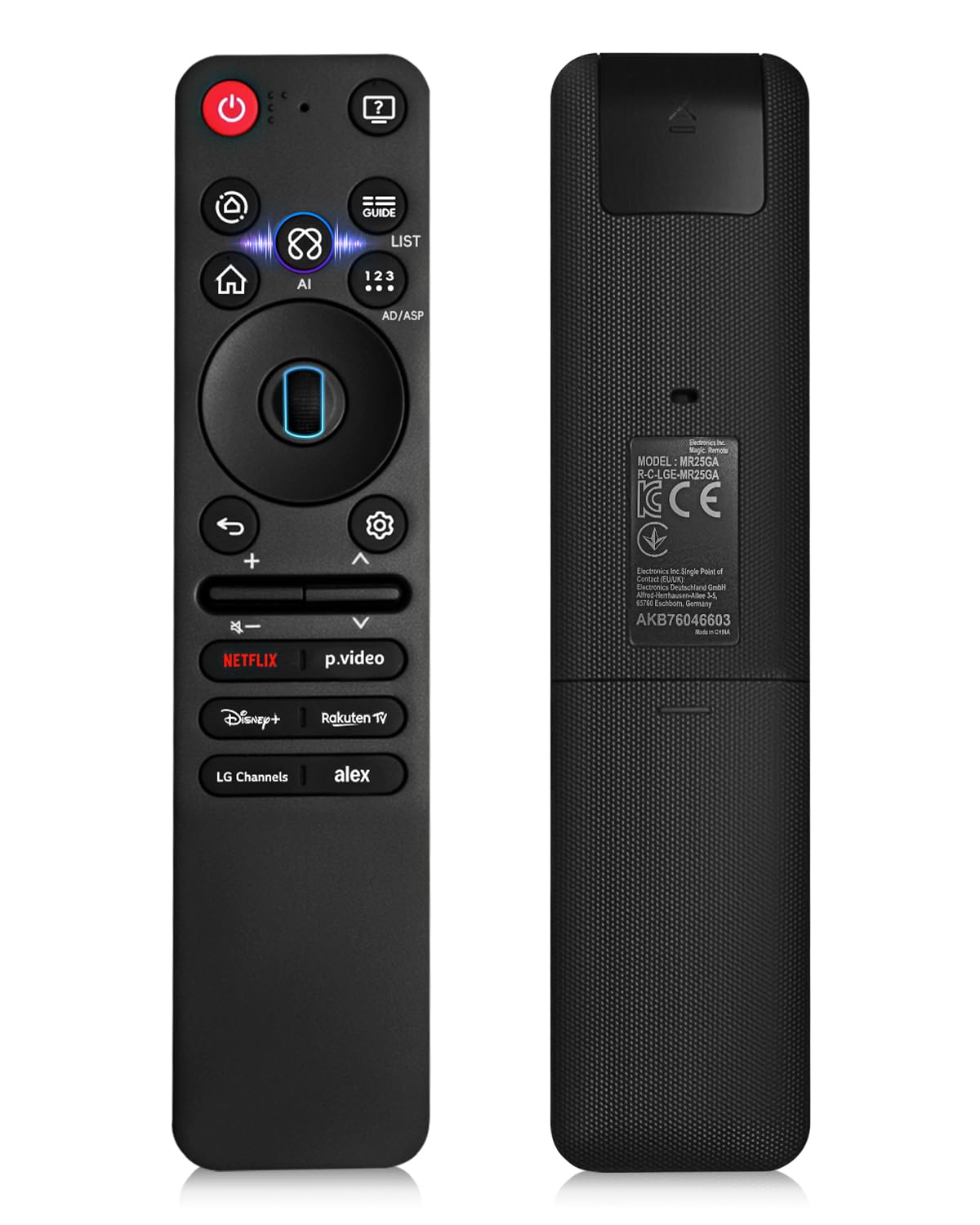
Replacement for lG MR25GA Magic Remote Fit for 2025 LG Smart TVs OLED G5, C5, B5, QNED 92A, 85A, 80A, UA77 Series Includes AI, Pointer and Alexa Voice 5-Year Free Replacement (Battery Not Included)
ℹ
Products from the USA may come with an input voltage of 110V–120V, requiring a step-down transformer. Check the device wattage to select the correct power converter.
•🔍AI Voice Magic Remote for 2025 LG Smart TVs – The MR25GA Magic Remote is specifically designed for 2025 LG Smart TV models, ensuring perfect compatibility and seamless performance. Enjoy full TV functionality with an intuitive mouse-like pointer and Wheel navigation for smooth, effortless control. Advanced AI voice recognition lets you control your TV with Google Assistant or Alexa (network connection required), making entertainment truly hands-free and smarter than ever.
•Compatible with the following 2025 LG Smart TVs models: OLED Series: OLED42C5PUA OLED48C5PUA OLED50A5AUA OLED50B5AUA OLED50C5AUA
•🎤AI Voice Control & Alexa Integration – The MR25GA Magic Remote lets you control your TV with built-in AI voice commands. Connect seamlessly with Alexa for hands-free operation, quick access to streaming apps, TV settings, and even smart home devices. Enjoy truly smart entertainment without lifting a finger.
•🎯Precise Motion Pointer – Navigate menus, apps, and games effortlessly with the MR25GA’s high-precision motion pointer. Every movement is smooth and accurate, giving you full control with minimal effort.
•⚡ Enhanced Control Performance – Powered by an upgraded smart chip, the MR25GA Magic Remote offers over 40 ft range and ultra-fast 0.2s IR response. Dedicated hotkeys for Netflix, Prime Video, and other favorite content let you jump straight into entertainment. Tested for durability with 120,000+ button clicks, this remote is built to last.
•🔗Quick 2-Step Pairing – Pairing is simple: ① Insert 2 AA batteries (not included) and turn on your TV, ② Point the remote at the TV and press the Wheel (OK) button to complete pairing. If the pointer isn’t working, hold the GUIDE button for 5+ seconds to reset and re-register the motion sensor. Works for new remotes or pairing with another TV.
 From USA






