product-image
product-image
product-image
product-image
    1
    2
    3
    4
    5
    6
flagProduct From USA  
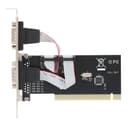
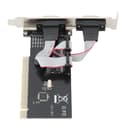
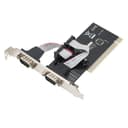
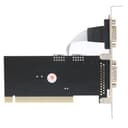
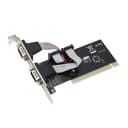
new | PCI to 2 Serial Port Card, PCIE 2 Port Serial Expansion Card, RS232 RS-232 2 Port Extension Adapter Card, Support 2000/2003 /
Brand : Hilitand
new | PCI to 2 Serial Port Card, PCIE 2 Port Serial Expansion Card, RS232 RS-232 2 Port Extension Adapter Card, Support 2000/2003 /
Brand : Hilitand

*Prices subject to change due to market. The price shown in the checkout is the guaranteed price.
 2,899.00
M.R.P : 4,058.00

5% OFF

Availability : 
In Stock

*Prices subject to change due to market. The price shown in the checkout is the guaranteed price.
2,899.00
M.R.P : 4,058.00

5% OFF

Availability : 
In Stock
Delivery :
Available This pincode is not serviceable! Please try with a different pincode Checking...
Quantity
7 days   Replacement
7 days Replacement
Manufacturers Warranty
Top Brand
Top Brand
Free delivery
Free delivery
Secure Transaction
Secure Transaction
Blue Dart Delivered
Blue Dart Delivered
100% Guarantee Safe Checkout
  • visa
  • mastercard
  • discover
  • Maestrocard
  • paypal
  • americanexpress
  • paytm
  • upi
Note: Please be aware that products from the USA may come with an input voltage of 110V - 120V, requiring the use of an appropriate step-down transformer for compatibility. Understanding the device's wattage is essential for selecting the correct power converter.
Product Specifications
Conditionnew
AsinB08QZ59JMM
MPNHilitandhzg8a1uy5k
OriginUSA
BrandnameHilitand
Weight1
Product Details
Compliant with PCI 2.1 specification, support 32-bit PCI bus. Plug and play, automatic allocation of IRQ and I / O address.
One host can support multiple multi-serial card. Data bit: 4, 5, 6, 7, 8 bytes.
Parity bit : NONE EVEN OLD SPACE MARK. Stop bit : 1, 1.5, 2.
control: None, hardware, Xon / Xoff. Support 2000/2003 / operating system.
The maximum data transfer rate is up to 1M / S. RoHS compliant.


Product Ranking
#98 in Serial Port Cards
Product Description
Specifications:
Color: Shown as the pictures
Package weight: 110g

Instruction:
Install a PCI to R232 expansion card on your computer:
1. Turn off the computer and the devices connected to the computer.
2. Open the chassis cover and insert the card into the PCI slot that is not in use and secure it.
3. Close the chassis cover and connect the wires of the PCI to R232 expansion card.

Package List:
1 x PCI to 2 Serial Port Card
1 x Drive CD

Note:
1. When the PCI to R232 expansion card is at selftest in PC, the system will prompt that there is a device.
2. Each PCI to R232 expansion card takes an interrupt, and it is automatically assigned by the system. The port number is determined by the PCI location.
3. In system, if the system does not install other similar products, the port is named generally from COM3, which is related to the motherboard COM port number.
4. In system, if you want to replace with the new card and the new driver, you must delete the original card from the "multifunction card".
5. Strictly prohibit inserting or pulling put the card / connecting cable when power on.
Product Description
Specifications:
Color: Shown as the pictures
Package weight: 110g

Instruction:
Install a PCI to R232 expansion card on your computer:
1. Turn off the computer and the devices connected to the computer.
2. Open the chassis cover and insert the card into the PCI slot that is not in use and secure it.
3. Close the chassis cover and connect the wires of the PCI to R232 expansion card.

Package List:
1 x PCI to 2 Serial Port Card
1 x Drive CD

Note:
1. When the PCI to R232 expansion card is at selftest in PC, the system will prompt that there is a device.
2. Each PCI to R232 expansion card takes an interrupt, and it is automatically assigned by the system. The port number is determined by the PCI location.
3. In system, if the system does not install other similar products, the port is named generally from COM3, which is related to the motherboard COM port number.
4. In system, if you want to replace with the new card and the new driver, you must delete the original card from the "multifunction card".
5. Strictly prohibit inserting or pulling put the card / connecting cable when power on.