movheiyl replacement voice remote control altice optimum cable | Shop The World
From USA
NewMOVHEIYL
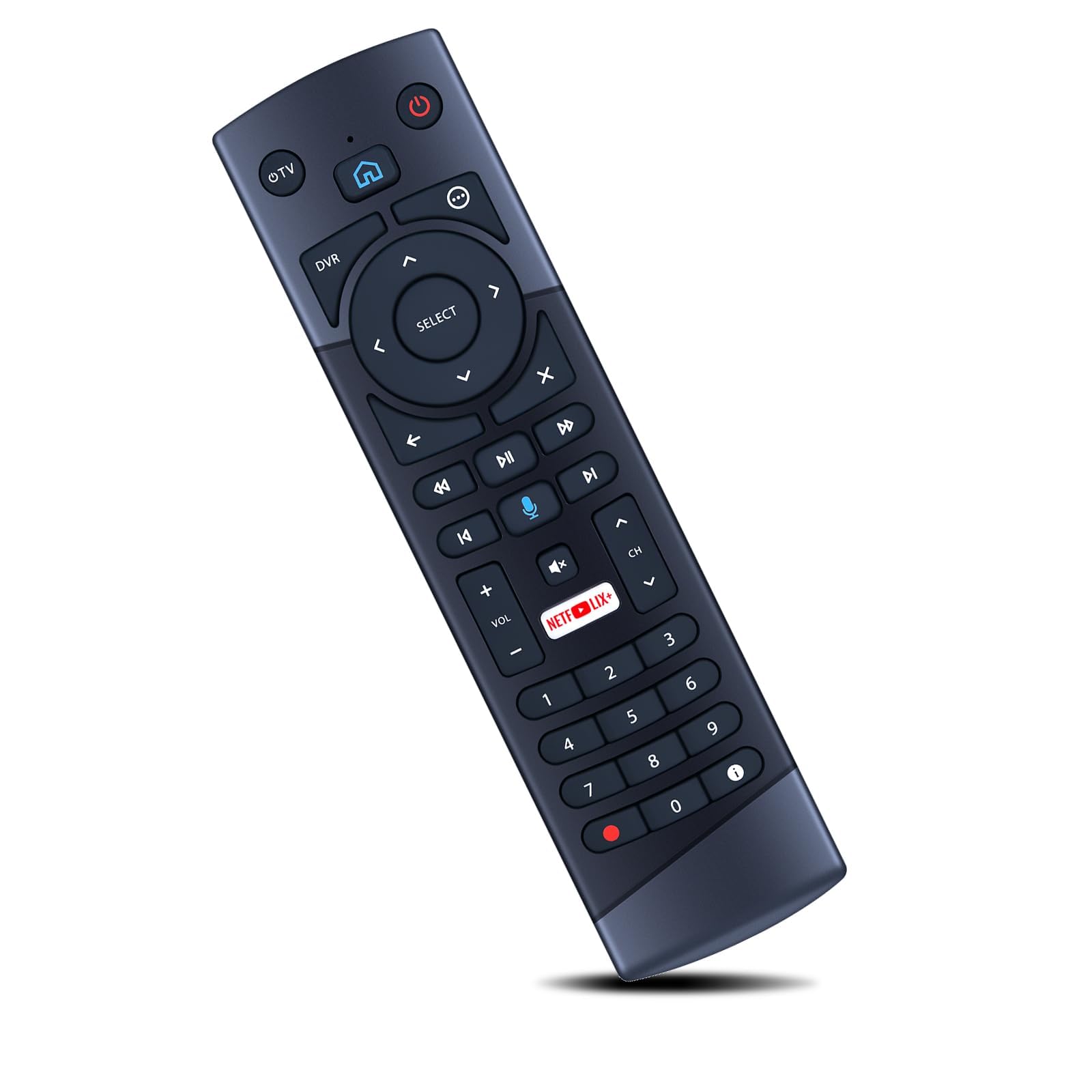
MOVHEIYL Replacement Voice Remote Control for Altice Optimum Cablevision T4HU1714/36K T4HIU2104/36K
ℹ
Products from the USA may come with an input voltage of 110V–120V, requiring a step-down transformer. Check the device wattage to select the correct power converter.
•Compatible with Altice Optimum Cablevision T4HU1714/36K T4HIU2104/36K
•How to Pairing: 1. Remove the back cover of your remote and insert 3 AAA batteries 2. Turn on your TV and Altice One. 3. Press the HOME button on your remote. 4. From the main menu select SETTINGS. 5. Select REMOTE. 6. Select PAIR REMOTE TO ALTICE ONE. 7. Follow the on-screen instructions and press the 7 + 9 buttons together for at least 5 seconds 8. Select PAIR REMOTE CONTROL. You’ll see on-screen confi rmation that the remote is paired.
•How to Pairing Your TV: for Insignia-1, for LG-2, for Panasonic-3, for Philips/Magnavox-4, for Samsung-5, for Sanyo-6, for Sharp-7, for Sony-8, for Toshiba-9, for Vizio-0. 1. Using the list above fi nd the number for your TV brand. 2. Press and hold the TV POWER button and the number of the brand for 3 seconds, then release. 3. Press and hold the TV POWER button until the TV turns off . 4. Press the SELECT button to store the code
•【Easy to use】:Easy to Pairing or setup, After inserting the battery(Not included), Simply follow the pairing steps until successful, and it will perfectly replace your original remote
•【Premium After-sale】:We provide a 1 year warranty return service. If you have any questions about your order, please feel free to contact us directly and we will get back to you within 12 hours.