movheiyl mxv4 replacement remote control u verse att s10 s1 s | Shop The World
From USA
NewMOVHEIYL
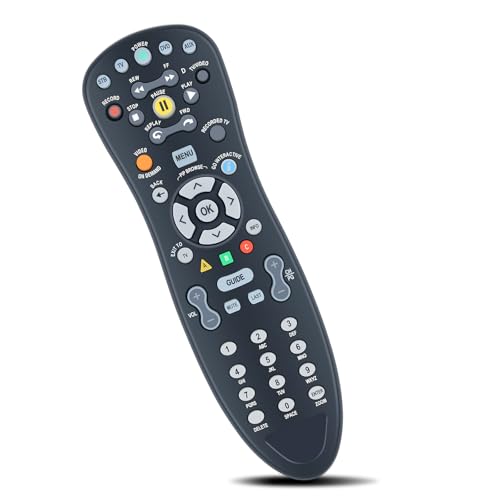
MOVHEIYL MXv4 Replacement Remote Control for U-Verse AT&T S10-S1 S10-S2 S10-S3 S10-S4 Digital TV DVR Uverse Receiver Cable Box C1-517609733288 CYB UG-R31111 TV RC1534857/01B
ℹ
Products from the USA may come with an input voltage of 110V–120V, requiring a step-down transformer. Check the device wattage to select the correct power converter.
•Compatible with U-Verse AT&T S10-S1 S10-S2 S10-S3 S10-S4 Digital TV DVR Uverse Receiver Cable Box C1-517609733288 CYB UG-R31111 TV RC1534857/01B
•Remote pairing:1,Press and Hold SETUP: Locate the SETUP button. Press and hold it until the LED light on the remote blinks twice. 2,Select Device Type: Press the desired device key (e.g., TV, DVD, AUX) that you wish to program. 3,Program Device: Point the remote at your device. Press and hold the OK button until your device turns off. This indicates successful programming.
•If you encounter issues with your MXv4 remote control, try the following troubleshooting steps: Remote Not Responding: Check if the batteries are inserted correctly and have sufficient charge. Replace them if necessary. Ensure there are no obstructions between the remote and the device's IR receiver. Verify that the correct device mode (TV,DVD,AUX) is selected on the remote. Device Not Programming: Ensure you are following the quick setup steps precisely.Try repeating the programming steps multiple times. Confirm that your device is IR-compatible. Limited Functionality: Some advanced functions may not be supported by all devices. Ensure the remote is programmed for the specific device type.
•【Easy to use】:Easy to Pairing or setup, After inserting the battery(Not included), Simply follow the pairing steps until successful, and it will perfectly replace your original remote
•【Premium After-sale】:We provide a 1 year warranty return service. If you have any questions about your order, please feel free to contact us directly and we will get back to you within 12 hours.
 From USA






