product-image
product-image
product-image
product-image
product-image
Product Image
    1
    2
    3
    4
    5
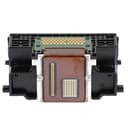
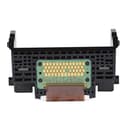
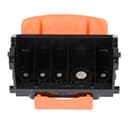
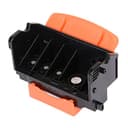
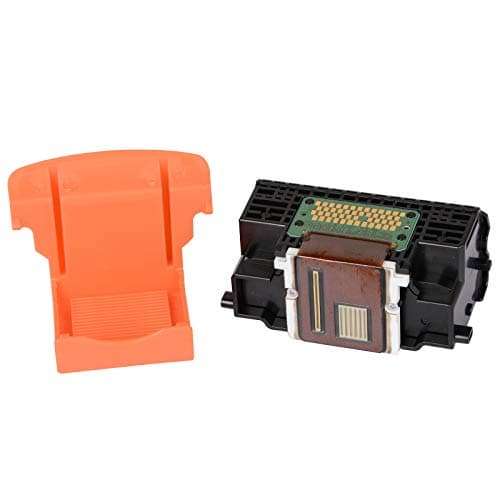
new | JIUPIN QY6-0080 Printhead Print Head for Canon MX715 MX885 MG5220 MG5250 MG5320 MG5350 iP4820 iP4840 iP4850 iX6520 iX6550 Printer
Brand : JIUPIN
new | JIUPIN QY6-0080 Printhead Print Head for Canon MX715 MX885 MG5220 MG5250 MG5320 MG5350 iP4820 iP4840 iP4850 iX6520 iX6550 Printer
Brand : JIUPIN

 12,066.00
M.R.P : 20,110.00

40% OFF

Availability : 
In Stock

*Prices subject to change due to market. The price shown in the checkout is the guaranteed price.
12,066.00
M.R.P : 20,110.00

40% OFF

Availability : 
In Stock
Delivery :
Available This pincode is not serviceable! Please try with a different pincode Checking...
Quantity
7 days   Replacement
7 days Replacement
Manufacturers Warranty
Top Brand
Top Brand
Free delivery
Free delivery
Secure Transaction
Secure Transaction
Blue Dart Delivered
Blue Dart Delivered
100% Guarantee Safe Checkout
  • visa
  • mastercard
  • discover
  • Maestrocard
  • paypal
  • americanexpress
  • paytm
  • upi
Note: Please be aware that products from the USA may come with an input voltage of 110V - 120V, requiring the use of an appropriate step-down transformer for compatibility. Understanding the device's wattage is essential for selecting the correct power converter.
Product Specifications
Conditionnew
AsinB08R5DXRM2
CategoryOffice Products
SubcategoryInkjet Printer Ink
LeafcategoryCE
MPNQY6-0080
ColorBlack
OriginUSA
BrandnameJIUPIN
Height1
Length1
Width1
Weight1
Product Details
Product name: QY6-0080Printer Head
Compatible Printer: Compatible for Canon MX715 MX885 MG5220 MG5250 MG5320 MG5350 iP4820 iP4840 iP4850 iX6520 iX6550
Note: The QY6-0083 ink print head is cleaned and tested, and may contain a protective Solution and moisture, but does not affect the use. If the print head can't print colors. Please take out the print head from your printer, and use a white tissues to touch the mouth of the print head. If the color print on the tissues, it means not the fault of print head, and you need to continue to troubleshoot.
Warn: Print head requires lots of attention, It is easy to cause man-made damage if a non-professionals replace printhead blindly, please do not make commissioning on the machine, and please treat it with caution, If you are not familiar with the machine, it is recommended that you had better send the print head to a repair station or find professionals to replace the nozzle, so as to avoid unnecessary losses and unnecessary trouble.
Product Ranking
#17189 in Inkjet Printer Ink Cartridges
#557614 in Office Products
Product Description

Make sure you buy the correct print head model.

Please confirm the defective part of your printer before deciding to replace a print head.For example, if you get error 5100, you need to do the following: A. Remove dirt from the carriage head to eliminate the cannon error.


5100. b. Make sure you have adjusted the ink cartridges correctly. c.
Lubricate the rinsing cap. d. clean the timing film. It's not the print head's fault.
If the printhead cannot print colors. Remove the printhead
From your printer and touch the mouth of the printhead with a white handkerchief.

If the color print is on the handkerchiefs, this is not the fault of the
printhead, and you need to continue troubleshooting.
If you receive error B200

Product Description

Make sure you buy the correct print head model.

Please confirm the defective part of your printer before deciding to replace a print head.For example, if you get error 5100, you need to do the following: A. Remove dirt from the carriage head to eliminate the cannon error.


5100. b. Make sure you have adjusted the ink cartridges correctly. c.
Lubricate the rinsing cap. d. clean the timing film. It's not the print head's fault.
If the printhead cannot print colors. Remove the printhead
From your printer and touch the mouth of the printhead with a white handkerchief.

If the color print is on the handkerchiefs, this is not the fault of the
printhead, and you need to continue troubleshooting.
If you receive error B200