
new | Hochoice Industrial Counting Scale Gram Scales for Parts and Coins 66lb/0.00022lb-30kg / 0.1g Accuracy with RS232 Port for Connecting Computer or Printer
Brand : Hochoice
new | Hochoice Industrial Counting Scale Gram Scales for Parts and Coins 66lb/0.00022lb-30kg / 0.1g Accuracy with RS232 Port for Connecting Computer or Printer
Brand : Hochoice
₹ 28,432.00 M.R.P :₹ 47,387.00
40% OFF
₹ 28,432.00
M.R.P :₹ 47,387.00
40% OFF
✔ In Stock
*Prices subject to change due to market. The price shown in the checkout is the guaranteed price. ₹ 28,432.00 M.R.P : ₹ 47,387.00
40% OFF
₹ 28,432.00
M.R.P : ₹ 47,387.00
40% OFF
✔ In Stock
Check Delivery Availability
Available Checking...
Quantity:
1

7 days Replacement

Secure Transaction

Free delivery

Manufacturers Warranty

Top Brand

Blue Dart Delivered
Contact For Bulk Product Enquiry


100% Secure Payments
Safe and Trusted Checkout


Note: Please be aware that products from the USA may come with an input voltage of 110V - 120V, requiring the use of an appropriate step-down transformer for compatibility. Understanding the device's wattage is essential for selecting the correct power converter.
Product Specifications
Condition
New
Asin
B081YM8MG2
Category
Office Products
Subcategory
Postal Scales
Leafcategory
BISS Basic
MPN
HCS3033D-30kg/0.1g
Origin
USA
Brandname
Hochoice
Height
1
Length
1
Width
1
Weight
9
Display Type
LCD
Form Factor
Mini
Product Details
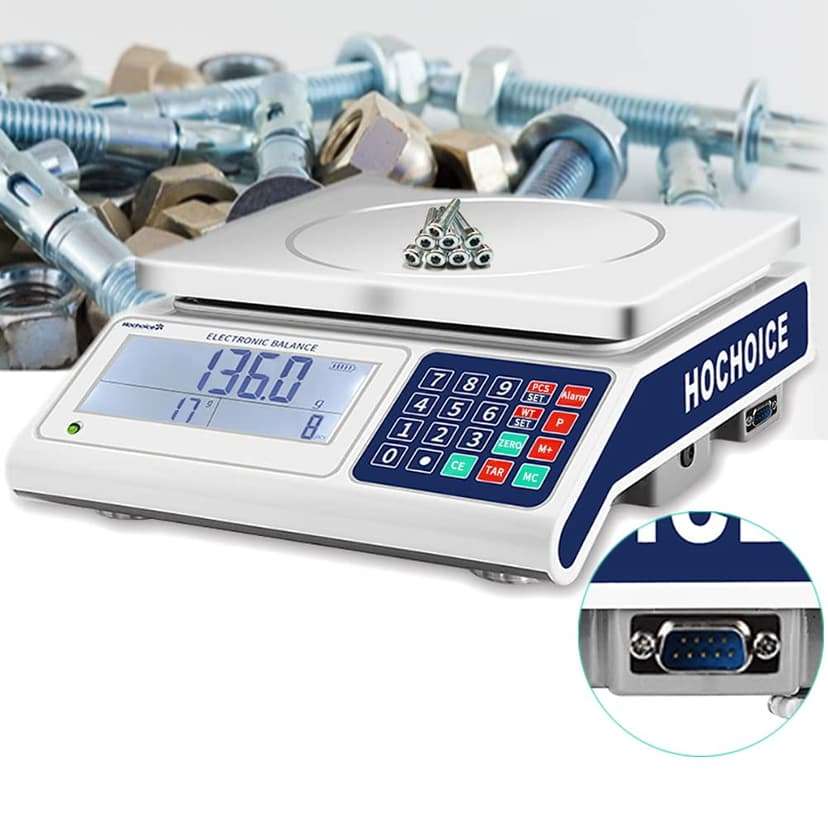
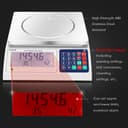
Industrial Counting Scale Function: counting and weighing , peeled, externally calibrated, alarmed, printed, and can set upper and lower limit alarms for weight and quantity. When alarmed, it displays three colors of red, white, and yellow lights
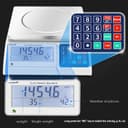
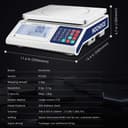
Digital Gram Counting Scale Range: 0. 1g-30000g; Accuracy: 0.1g; Can quickly switch between 5 modes: grams, ounces, kilograms, pounds, and counting. The weighing mode defaults to displaying the last set unit and does not require resetting
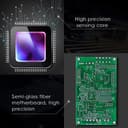
The counting scale consists of laboratory quality weighing sensors and high-performance microcontrollers. We can provide you with reliable readings. The RS232 port can connect to a computer and printer. Suitable for use in laboratories, medicine, school education, industry, research centers, and other places
Large Lcd Screen, with Bright White Backlight For Clear Reading. Counting Scale Can Potentially Save You Time And Money Spent Accounting For Parts, Reconciling Inventory or Balancing The Register. The Precision Scale Is Built With Tough, Lab Quality Materials To Handle Hard, Everyday Use, Year After Year.
Important Note: Industrial parts counting scales do not support installing batteries. The voltage of the electronic scale supports 100-240V. If you encounter any problems during use, please contact us first, and we will provide you with high-quality after-sales service
Product Ranking
#149 in Postal Scales
#143115 in Office Products
Product Description
Key Description:
0-9 Nnumber Keys: For Digital Input
Decimal point ".": The decimalpoint is used for digital data. Long press can be used for LP50 print formatselection
CE: When the number of settings is wrong,or when the previously set single weight is cleared.Or use when clearing thepreviously set single weight
ZERO: Before the scale is used , the scaleis at zero.Long press on interchangeablequantity and weight position
TAR:Used to deduct theweight of the vessel on the scale
PCS/SET: After the number of samples isdetermined, input the number of samples
P:Used to know the weight of the item, directlyenter the weight value
WT/SET: Used to set upper and lower limits,short press for printing
Alarm::Set the upper andlower limit alarm parameters
M+:Used to accumulateand memorize multiple counts
MC:Used to clear theaccumulation, Long press the "MC" key to switch the unit (kg, g, lb, oz)
Product Description
Key Description:
0-9 Nnumber Keys: For Digital Input
Decimal point ".": The decimalpoint is used for digital data. Long press can be used for LP50 print formatselection
CE: When the number of settings is wrong,or when the previously set single weight is cleared.Or use when clearing thepreviously set single weight
ZERO: Before the scale is used , the scaleis at zero.Long press on interchangeablequantity and weight position
TAR:Used to deduct theweight of the vessel on the scale
PCS/SET: After the number of samples isdetermined, input the number of samples
P:Used to know the weight of the item, directlyenter the weight value
WT/SET: Used to set upper and lower limits,short press for printing
Alarm::Set the upper andlower limit alarm parameters
M+:Used to accumulateand memorize multiple counts
MC:Used to clear theaccumulation, Long press the "MC" key to switch the unit (kg, g, lb, oz)