fqoug v3 pro replacement remote control vseebox v5 pro v1v2 Pr | Shop The World
From USA
NewFQOUG
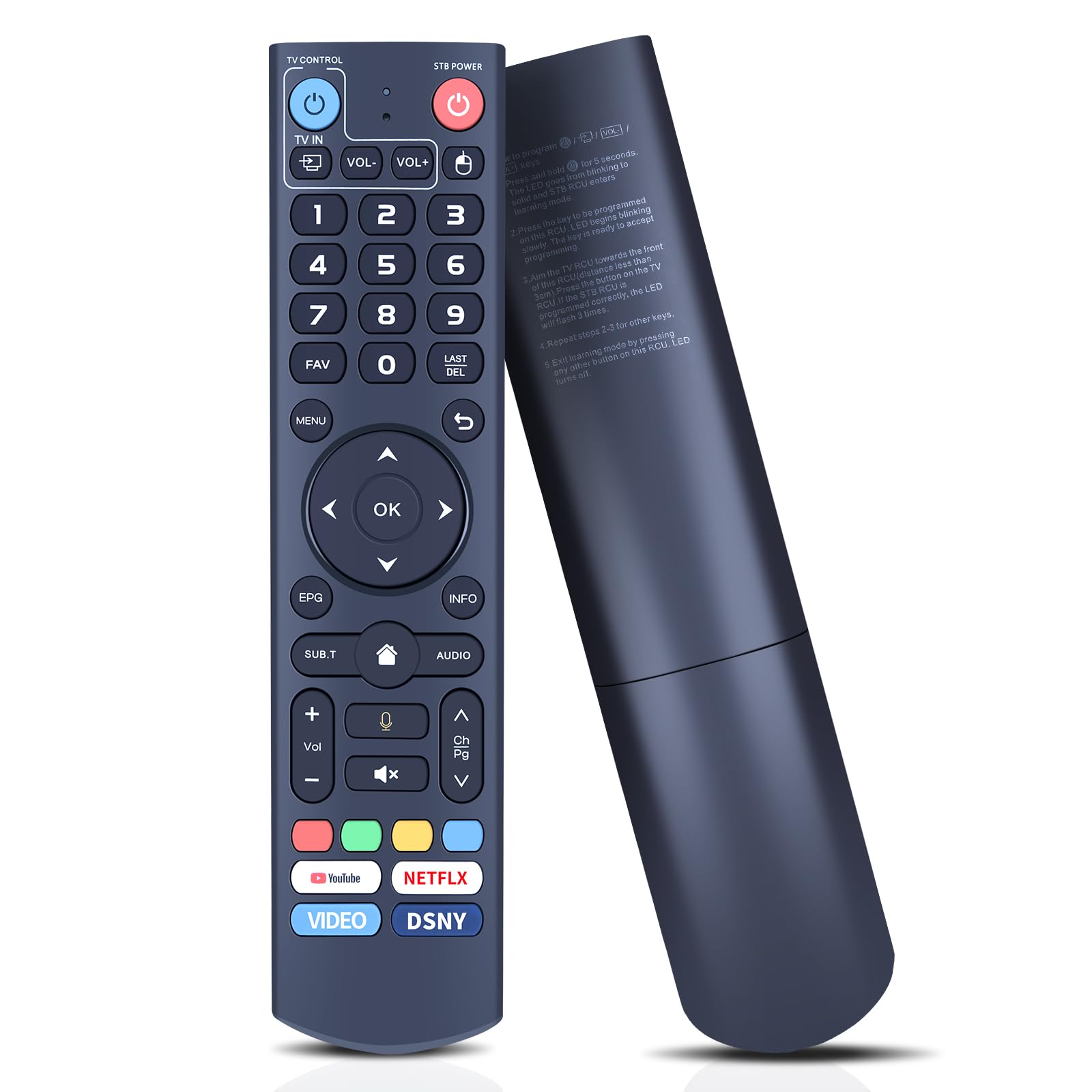
FQOUG V3 Pro Replacement Remote Control for vSeeBox V5 Pro, V1/V2/V2 Pro, V3/V3 Plus, V1 Max, Elite, Max, Voice Search
ℹ
Products from the USA may come with an input voltage of 110V–120V, requiring a step-down transformer. Check the device wattage to select the correct power converter.
•⚠️【Some functions are Not available?】 Please follow the steps below - 1) Press and hold [POWER] key for 5 seconds. the LED goss from blinking to solid and STB RCU enters Learning Mode. 2) Press the key to be programmed on this RCU. LED begins blinking slowly. The key is ready to accept programming. 3)Aim the TV RCU towards the front of this RCU(distance less than 3cm) Press the button on the TV RCU. If the STB RCU is programmed correctly, the LED will flash 3 times. 4)Repeat steps 2-3 for other keys and Exit learning mode by pressing any other button on this RCU. LED turns off.
•✅️【Limited Compatibility】Easily connects with part vSeebox models including V5 Pro, V3 Plus, V3 Pro, V2, V2 Pro, V1, V1 Pro, V1 Max, Elite, Max. (Tips: V1 Max, V1 Pro, V2 Pro not support voice command feature.) Please make sure your box model is in the above list.
•✅️【Dual-Working Mode】The V3 Pro voice remote features V3 working mode and V2 working mode. Press and hold the number key 5 for more than 10 seconds and the indicator light flashes, indicating that the mode switch is successful. V3 Pro working mode is applicable to V3 Pro; V2 Pro working mode is applicable to V1 Pro/V2 Pro/Max/Elite.(Note: Vseebox V3 remote control defaults to V3 working mode)
•✅️【How to Use the V3 Remote Control On V1 Pro/V2 Pro/Max/Elite?】Press and hold the OK and vol- keys simultaneously (about 5 seconds) until the remote control indicator light continues to flash, which means the BT of the V3 remote control is enabled. Pair the remote control under System Settings - BT - Pair New Device, find the vseebox remote control, and connect to the vseebox. (If it is not found, it may be that BT is not turned on. Please press and hold the OK and vol- keys on the remote control at the same time to turn on BT)
•✅️【Reliable Service Guarantee】1* Remote Control (not include the battery). If you have any questions about the remote control during purchase or use, feel free to contact us anytime. Our team will respond promptly and resolve your problems to ensure a worry-free shopping experience.
 From USA






