fqoug replacement att u verse digital tv dvr uverse receiver P | Shop The World
From USA
NewFQOUG
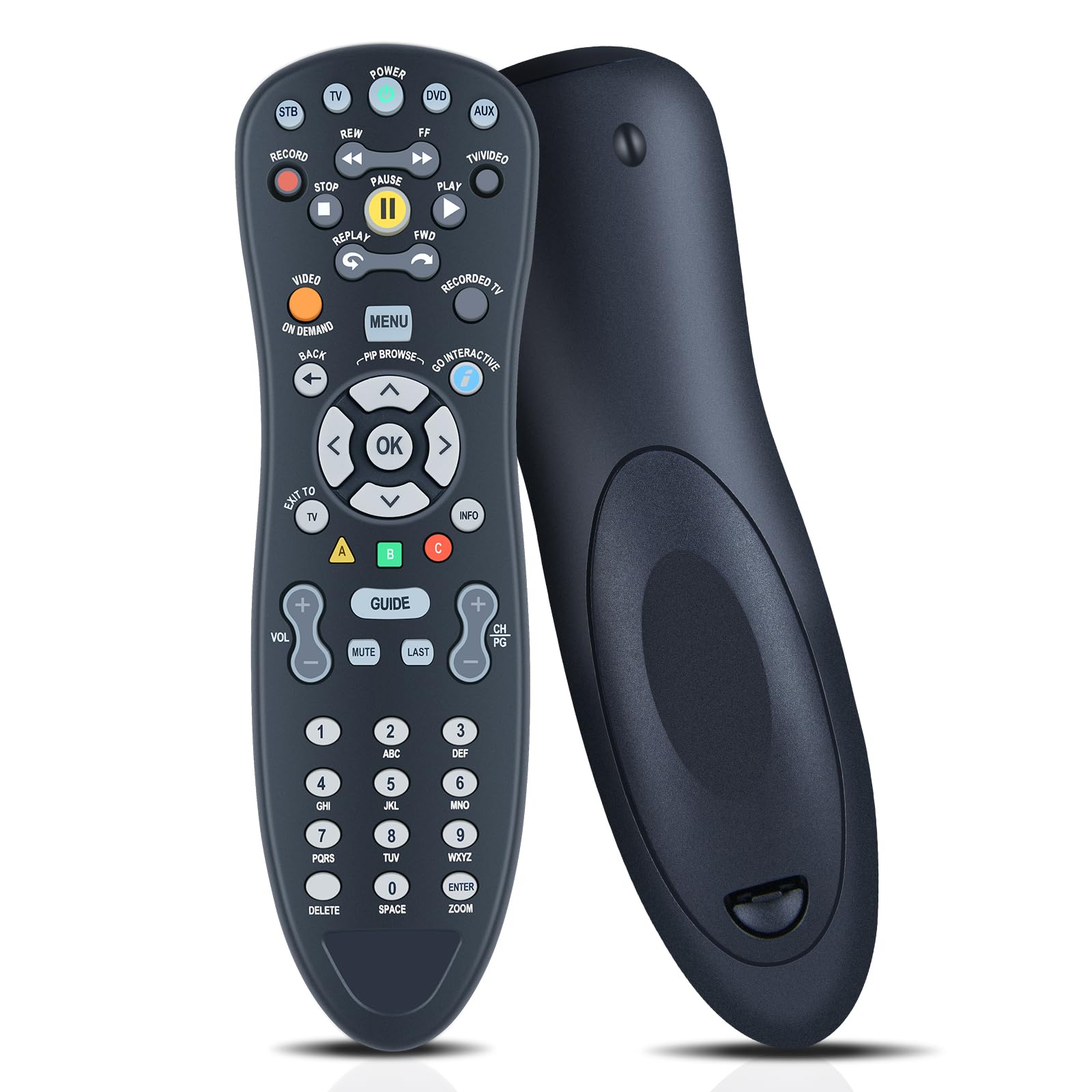
FQOUG Replacement for AT&T U-Verse Digital TV DVR Uverse Receiver Cable Box Remote Control, S10-S4 S10-S3 S10-S2 S10-S1, Easy Setup, Compatible with HTiB, Audio, Amplifier, DVD, VCR etc
ℹ
Products from the USA may come with an input voltage of 110V–120V, requiring a step-down transformer. Check the device wattage to select the correct power converter.
•✅️【Perfect Compatibility & Replacement】FQOUG Replacement remote control compatible with AT&T U-Verse Digital TV S10-S4 S10-S3 S10-S2 S10-S1. plus most major TV brands and many audio devices.
•✅️【Easy to Setup】Setting up your Remote to control other devices(TV/DVD/etc). You may also use the setup tool on the TV (Recommended): Go to Menu- Help - System Set-up - Program your U-verse Remote. To control other devices, your Remote Control needs to be programmed. The Remote contains the IR codes to control them. By Searching for Device Codes to find the code for your device or Manually Program the Device Codes.
•✅【Backlight Keys】Turn On/Off Keypad Backlight: Press and hold the STB and OK key for one second, enter 9 9 1 using the numeric keypad, the STB key will give a long flash to confirm successful programming.
•✅【Restore Factory Settings】Return all programmed codes to Factory Default: Press and hold the STB and OK key for one second, then release. All the mode key flash twice. Enter 9 0 0 using the numeric keypad. The STB key will give a long flash to confirm successful programming. The Remote Control then returns to its normal state.
•✅️【Reliable Service Guarantee】If you have any questions about the remote control during purchase or use, feel free to contact us anytime. Our team will respond promptly and resolve your problems to ensure a worry-free shopping experience.
 From USA






