apildella usb hdmi adapter n hdmi usb c cable 14 triple la Pri | Shop The World
From USA
NewAPILDELLA
APILDELLA USB-A to HDMI Adapter n HDMI to USB C Cable for 14’’ Triple Laptop Screen Extender, Specifically Designed to The Laptop not Have a Type C DisplayPort to Connect 14'' tri-Screen
ℹ
Products from the USA may come with an input voltage of 110V–120V, requiring a step-down transformer. Check the device wattage to select the correct power converter.
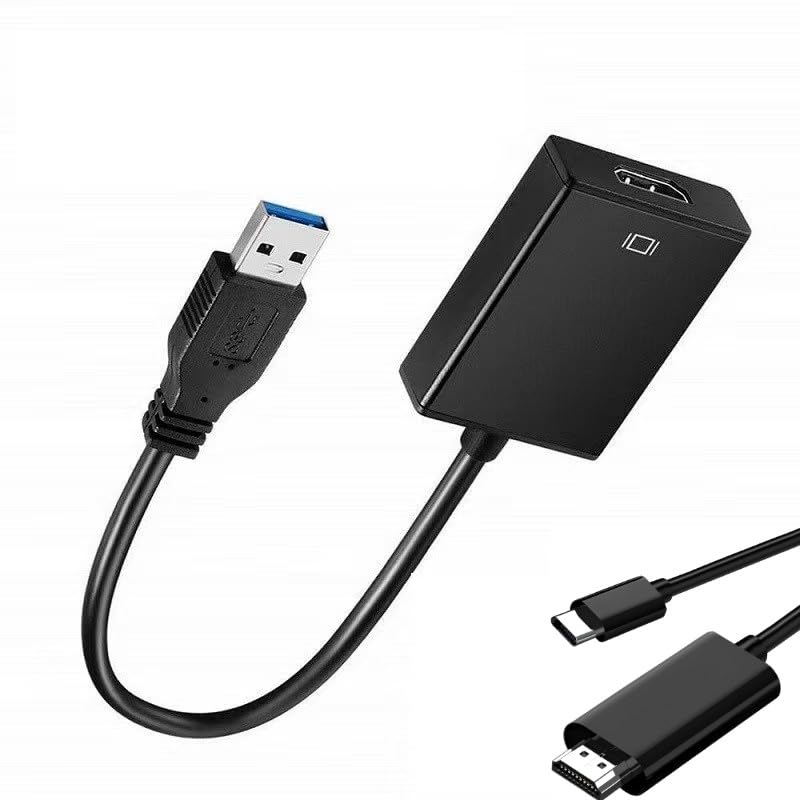
•【Good Helper for APILDELLA 14’’tri-screen】When connecting APILDELLA 14’’tri-screen, if your laptop does not have enough type-c (display function), you can easily make the second extra screen work by using this adapter and USB-C to HDMI cable.
•【USB 3.0 to HDMI Adapter】 This USB HDMI adapter can connect a laptop via USB interface to HDMI to USB-C cable ,and then usb-c head connect to APILDELLA 14''tri-screen. It will deliver high-definition audio video sources in laptop to APILDELLA 14''tri-screen monitor.
•【Important Installation】 1. Insert the adapter to your laptop through USB3.0 port directly. 2. Find the Windows install driver file in the device disk. 3. Wait until it asks you to restart the computer and then restart it. 4. If you cannot get it work, please contact us for the latest driver and assistance.
•【1080P supported for USB 3.0 & USB 2.0】: 24K gold plated USB 3. 0 port and strong powerful chip ensure the stable transmission, video resolution up to 1080P and support 3D display, support Display at 1920x1080P@60HZ on the screen when connected to either USB 3. 0 or USB 2. 0 port.
•【Lightweight and portable】Portable USB3.0 adapter is lightweight to carry in the bag we provide with APILDELLA 14” tri-screen when traveling. It’s great for connecting your laptop to mirror or extend your display desktop when you are in anywhere.
 From USA






