8k hdmi 21 displayport 14 adapter cable usb powered 66ft b Pri | Shop The World
From USA
NewBolAAzuL
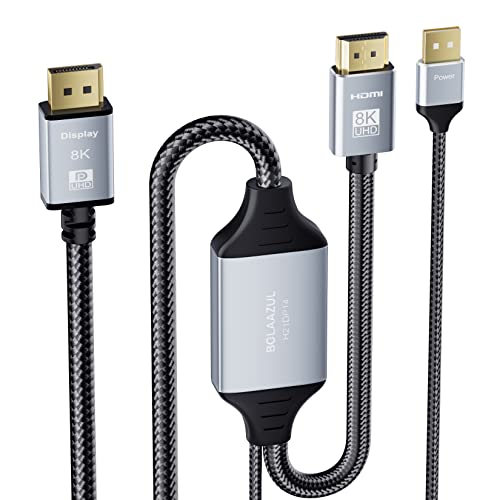
8K HDMI 2.1 to DisplayPort 1.4 Adapter Cable USB Powered 6.6ft, BolAAzuL Newly HDMI to DP Cable 8K/30Hz 4K/120Hz 2K/144Hz, HDMI Source to Display Port Monitor Video Converter Cable 2m Braided -H21DP14
ℹ
Products from the USA may come with an input voltage of 110V–120V, requiring a step-down transformer. Check the device wattage to select the correct power converter.
•【Resolutions & Refresh Rates】🎄NO VRR, not working with VR, DP 1.2 extension cable. The HDMI 2.1 to Displayport 1.4 out converter cable is a bypass cable.⚠️ It cannot downscale or upscale the resolutions and refresh rates. To get 7840X4320 30Hz out, you need to make sure the HDMI source is 7840X4320 30Hz and your monitor supports 7840X4320 30Hz also.
•【For PS4 Pro/PS5 Users】🎄Can only output standard HDTV 4K resolution 3840X2160@60Hz. To get 4K resolutions, you need to make sure the Displayport of your monitor is capable of supporting 3840X2160@60Hz and HDCP 2.2.⚠️ If your monitor does not support 3840X2160@60Hz, the 4K option won't be available.
•【For Xbox Series X/(S) Users】🎄1) If the DisplayPort of your monitor does not support 3840X2160@120Hz, the UHD 4K 120Hz output from your Xbox Series X won't be available. ⚠️2) If your monitor's DisplayPort only supports 2K resolutions, we won't recommend you buy this cable as the 2K options from your Xbox Series X/S won't be available. When outputting 2K@120Hz from box series X/S, its timing frequency is 497M while that of Displayport is 483.4M.
•【For Xbox Series X/(S) Users】🎄3) To get 4K/120Hz and 2K/144Hz(for 8K 30Hz model only), the HDMI input must of HDMI 2.1 and capable of supporting 8K/30Hz,4K/120Hz and 2K/144Hz. The DisplayPort of your monitor must support that too. 【CAUTION】⚠️Unidirectional HDMI in to DP out converter cable, only supports converting the signal from HDMI source to DisplayPort out.
•【For Laptop&PC Users】🎄You need to set the resolutions and refresh rates of your PC and laptop via the Display settings of your PC and Laptop. In some cases, you need to set the refresh rates and resolutions via the video card control panel such as the Nvidia or AMD control Panel. (⚠️Note!! Only the 8K 30Hz model supports refresh rates of more than 60Hz)
 From USA