540 voice remote dish network hopper 541 542 543 precariou Pri | Shop The World
From USA
NewPrecarious Captivating
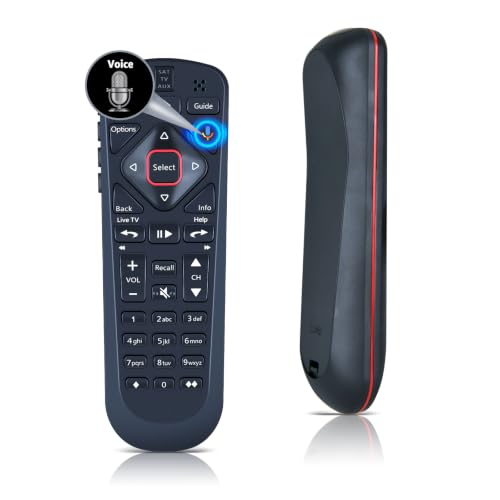
54.0 Voice Remote for Dish Network The Hopper 54.1 54.2 54.3
ℹ
Products from the USA may come with an input voltage of 110V–120V, requiring a step-down transformer. Check the device wattage to select the correct power converter.
•✅【Compatibility】54.0 Replacement for Dish Network The Hopper 54.1,54.2,54.3 Satellite Receiver Remote Control (Please double check your original remote matches ours in shape and button layout before ordering.)
•⚙【Pair Your Remote】First Add 2 * 1.5V AAA Batteries (not included). ①Press the "Home" button twice, ②Select Settings and then Remote Control, ③Select TV and then TV Pairing Wizard, ④Follow the prompts, ⑤You can also pair your remote with an Auxiliary Device such as a Blu-ray player or stereo.
•【Unpairing method】①Press and hold the “SAT” button on the side of the remote control. After 3 seconds, the indicator light flashes. Release the keys. ②Press and hold the "Home" button and "Guide" at the same time, after 3 seconds, the buzzer will beep three times. Release the keys. If the remote cannot be connected, please unpair first. Then try to pair it with your device.
•【Turn On Your Remote】Open the front panel of your receiver, and press the "SYS INFO" button. Press the "SAT" button on the side of the remote control, You will hear three beeps from the remote control, indicating it has paired with your receiver.
•🛡️【Reliable after-sales support available】 We offer considerate after-sales service, all items enjoy 22-year warranty period. Any usage or matching troubles, please reach out to us anytime for proper solutions.